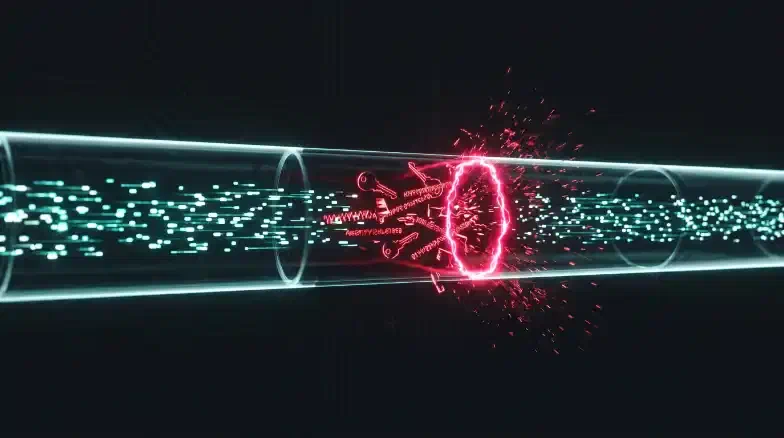
GitHub Copilot just suggested an Azure Storage connection string. The format was correct, the key length was right, and the AccountName matched a plausible service name. You accepted the suggestion, committed, and pushed. Instantly, your terminal flashed a red error: GH007: Your push would publish a secret. GitHub Advanced Security (GHAS) push protection fired—but the key was fake. Copilot “hallucinated” a syntactically valid credential from training data patterns.
This time, no real secret leaked. But the next time, a developer might accept a Copilot suggestion containing an actual key from an internal test fixture that was inadvertently loaded as context. AI-assisted development creates a dual threat model: high-volume “hallucination noise” that desensitizes security teams, and real memorized secrets that bypass traditional filters. Approximately 7.4% of AI-suggested credentials are real, working secrets memorized from training data, while the other 92.6% are noise.
The rest of this post walks through a multi-layered defense strategy using GHAS, Copilot Autofix, and 2026-era agentic scanning—moving beyond simple regex matching to an architecture that verifies secret validity in real-time and redacts credentials before they ever reach your git history.
The AI Secret Leak Lifecycle
(Key Reproduced) Dev->>GH: Push (Accept Suggestion) note over GH: [ GHAS Alert ]
(Active Key) GH-->>Dev: Partner Validation note over Dev: [ Push Protection ]
(Commit Blocked)
(Key Reproduced) Dev->>GH: Push (Accept Suggestion) note over GH: [ GHAS Alert ]
(Active Key) GH-->>Dev: Partner Validation note over Dev: [ Push Protection ]
(Commit Blocked)
1. The Dual Threat Model: Hallucinations vs. Reality
To secure your pipeline, you must understand how AI leaks credentials differently than humans.
Real Secrets via Context Leakage
Copilot’s context window includes more than just the current file. It indexes recently opened tabs and files in the same workspace. If you open a .env file or a test fixture containing a real production key to reference a variable name, that key enters the model’s immediate context. Copilot may then reproduce that exact value in a suggestion for a new configuration file. The secret “travels” from a protected local file into your repository.
Hallucinated Credentials (The Noise Problem)
An LLM is a statistical pattern matcher. It knows what an Azure SAS token should look like. When helping you draft a connection string, it often generates a realistic placeholder. Traditional scanners cannot distinguish these hallucinations from real keys by pattern alone, leading to thousands of false positives. This “cry wolf” effect is an operational risk; your team, overwhelmed by noise, starts dismissing real alerts.
2. GitHub Advanced Security: The Detection Layer
GitHub Advanced Security (GHAS) is the primary detection engine for both real and hallucinated secrets. In 2026, the focus has shifted from “Pattern Matching” to “Contextual Verification.”
AI-Powered Scanning
Launched in late 2024, GHAS now uses contextual AI to detect “unstructured” secrets like passwords and high-entropy keys that regex patterns miss. This context-aware engine can distinguish between a hardcoded password and a random hash, reducing false positive noise by up to 94%.
Partner Validation: Prioritizing the 7.4%
The most critical feature for 2026 is Partner Validation. When GHAS detects a potential Azure, AWS, or GitHub secret, it automatically calls the provider’s API to verify if the token is “Active.” Verified-active credentials trigger a high-severity alert and appear with an “Active” badge in the security timeline, letting you ignore hallucinations and focus on the critical 7.4% of real leaks.
# Verify secret scanning is active for your org via GitHub CLI
# Replace {org} with your GitHub organization name
gh api /orgs/{org}/properties/code_security_and_analysis
3. Push Protection: Blocking at the Source
Prevention is superior to remediation. Push Protection intercepts a git push containing a known secret before the commit lands on the remote server.
Customizing Your Experience
When a push is blocked, you see a CLI error. In 2026, administrators can add a Custom Link to this output. Point this link to your internal “Secret Rotation Runbook” or a self-service portal for security assistance.
remote: error: GH007: Your push would publish a secret.
remote: - Secret found: Azure Storage Account Key
remote: - File: config/azure.json
remote:
remote: [CORP SECURITY]: For rotation steps, visit https://sec.corp/rotate
Any bypass of push protection is logged as secret_scanning_push_protection.bypass. Treat these events as security incidents and monitor them via the GitHub Audit Log.
Defense-in-Depth for Secrets (2026)
(TruffleHog Deep History, Verified Alerts Only)"] G3["Gate 3: CI/CD Enforcement
(Required GHAS Status Checks, Pull Request Block)"] G2["Gate 2: Push Protection
(Custom Block Link, Partner API Validation)"] G1["Gate 1: Agent Memory (MCP)
(Real-time Redaction inside Claude/Cursor)"] G4 --> G3 G3 --> G2 G2 --> G1
(TruffleHog Deep History, Verified Alerts Only)"] G3["Gate 3: CI/CD Enforcement
(Required GHAS Status Checks, Pull Request Block)"] G2["Gate 2: Push Protection
(Custom Block Link, Partner API Validation)"] G1["Gate 1: Agent Memory (MCP)
(Real-time Redaction inside Claude/Cursor)"] G4 --> G3 G3 --> G2 G2 --> G1
4. Copilot Autofix: Automated Remediation
Detecting a secret is only half the battle; remediation (rotation and code fix) must happen immediately. Copilot Autofix (GA Aug 2024) uses AI to generate suggested fix PRs for detected secret alerts.
The Autofix Workflow
- GHAS detects a hardcoded Azure connection string.
- Autofix analyzes the file language (e.g., Python).
- Autofix opens a PR replacing the hardcoded key with
os.environ.get('AZURE_STORAGE_KEY'). - Autofix updates the relevant deployment manifests or CI/CD YAML to include the new secret reference.
GitHub research shows that Autofix reduces the median time-to-remediation from 1.5 hours to 28 minutes.
Crucial Note: Autofix only fixes the code. You must still rotate the secret in the Azure portal immediately upon detection. Always rotate BEFORE merging the code fix.
5. Agentic Security: Zero-Commit Secrets
In 2026, the industry has moved toward “Zero-Commit Secrets.” This involves catching credentials inside the AI agent’s reasoning loop before they are even written to a file.
GitHub MCP Secret Scanning
For teams using agentic tools like Claude Code or Cursor, the Model Context Protocol (MCP) Secret Scanner acts as a “firewall” for AI agents. The MCP server scans the agent’s memory and output in real-time, redacting any detected secrets before the agent can commit them to your repository. This eliminates the “hallucination noise” before it ever reaches GHAS.
6. Integration with Microsoft Defender for DevOps
For teams on Azure, GHAS findings should be aggregated in Microsoft Defender for Cloud. By deploying a securityConnectors resource via Bicep, you can surface GitHub secret alerts alongside your Azure infrastructure risks.
// Onboard GitHub to Defender for DevOps
// Note: Requires one-time manual App installation in the GitHub UI first
resource githubConnector 'Microsoft.Security/securityConnectors@2024-08-01-preview' = {
  name: 'github-security-hub'
  location: 'centralus' // Defender for DevOps is currently optimized for Central US
  kind: 'GitHub'
  properties: {
    hierarchyIdentifier: 'your-org-name'
    offerings: [{ offeringType: 'DefenderForDevOpsGithub' }]
  }
}
This integration lets your security team see “Attack Paths” where a leaked Storage key could lead to lateral movement in your production VNet.
Key Takeaways
- Verify, Don’t Guess: Use GHAS Partner Validation to prioritize the 7.4% of real, active leaks over AI hallucinations.
- Block at the Source: Enable Push Protection and provide a custom link to internal rotation guides.
- Automate Remediation: Use Copilot Autofix to reduce remediation time by 3x, but always rotate the key in Azure first.
- Configure .copilotignore: The best way to stop AI-driven leaks is to prevent Copilot from indexing your test fixtures and local
.envfiles. - Agent-Level Security: In 2026, implement MCP Secret Scanning to redact credentials during the generation phase.
Next Steps:
- Read GitHub Copilot Enterprise Governance: Content Exclusions & Policy Controls to harden your GitHub Copilot governance with Content Exclusions.
- Read Securing the Prompt: Implementing AI Guardrails with Azure API Management to implement an APIM AI Gateway that scrubs prompts at the network layer.
- Return to The Ultimate Guide to Secure AI DevOps on Azure: A Privacy-First Blueprint to see how secret scanning fits into the full Privacy-First Blueprint.